 28e07be870
* feat: FIrst pass at file management API * [autofix.ci] apply automated fixes * Add delete and edit endpoints * [autofix.ci] apply automated fixes * Add file size and duplicate name handling * Ensure the File model has a unique name * Ensure count is before extension * [autofix.ci] apply automated fixes * Add the correct path to the return * Added function to handle list of paths in File component * [autofix.ci] apply automated fixes * Update input_mixin.py * Refactor to a v2 endpoint * Add unit tests * Update test_files.py * Update frontend.ts * [autofix.ci] apply automated fixes * Remove extension from name * Cast the string type for like * Update files.py * Update base.py * Update base.py --------- Co-authored-by: autofix-ci[bot] <114827586+autofix-ci[bot]@users.noreply.github.com> Co-authored-by: Lucas Oliveira <lucas.edu.oli@hotmail.com> |
||
|---|---|---|
| .. | ||
| bin | ||
| img | ||
| lib | ||
| test | ||
| .env.example | ||
| .gitignore | ||
| .npmignore | ||
| cdk.json | ||
| delete-docker-images.sh | ||
| delete-resources.sh | ||
| jest.config.js | ||
| package-lock.json | ||
| package.json | ||
| README.ja.md | ||
| README.md | ||
Deploy Langflow on AWS
Duration: 30 minutes
Introduction
In this tutorial, you will learn how to deploy langflow on AWS using AWS Cloud Development Kit (CDK). This tutorial assumes you have an AWS account and basic knowledge of AWS.
The architecture of the application to be created:
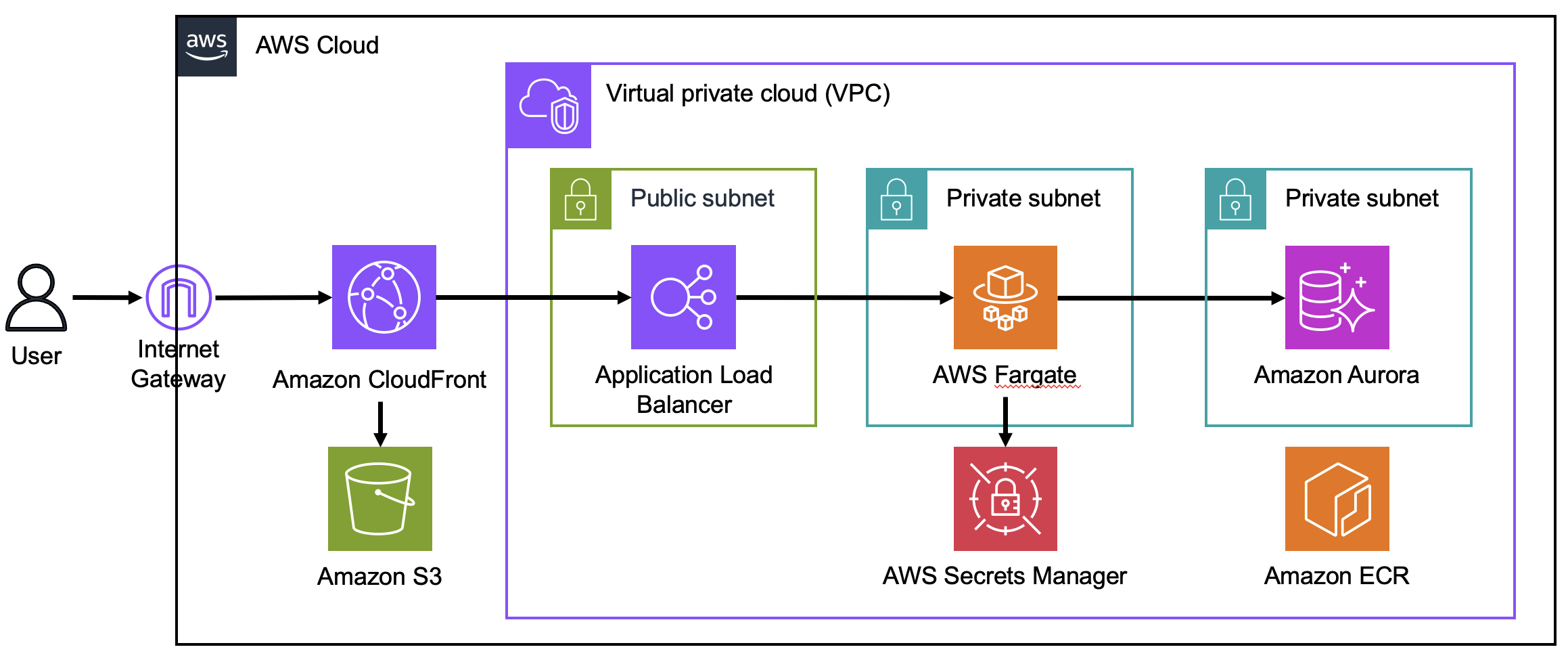 Langflow is deployed using AWS CDK. The application is distributed via Amazon CloudFront, which has two origins: the first is Amazon Simple Storage Service (S3) for serving a static website, and the second is an Application Load Balancer (ALB) for communicating with the backend. AWS Fargate, where FastAPI runs and Amazon Aurora, the database, are created behind the ALB.
Fargate uses a Docker image stored in Amazon Elastic Container Registry (ECR).
Aurora's secret is managed by AWS Secrets Manager.
Langflow is deployed using AWS CDK. The application is distributed via Amazon CloudFront, which has two origins: the first is Amazon Simple Storage Service (S3) for serving a static website, and the second is an Application Load Balancer (ALB) for communicating with the backend. AWS Fargate, where FastAPI runs and Amazon Aurora, the database, are created behind the ALB.
Fargate uses a Docker image stored in Amazon Elastic Container Registry (ECR).
Aurora's secret is managed by AWS Secrets Manager.
How to set up your environment and deploy langflow
- Open AWS CloudShell.
- Run the following commands in Cloudshell:
git clone https://github.com/aws-samples/cloud9-setup-for-prototyping cd cloud9-setup-for-prototyping cat params.json | jq '.name |= "c9-for-langflow"' ./bin/bootstrap - When you see
Done!in Cloudshell, openc9-for-langflowfrom AWS Cloud9.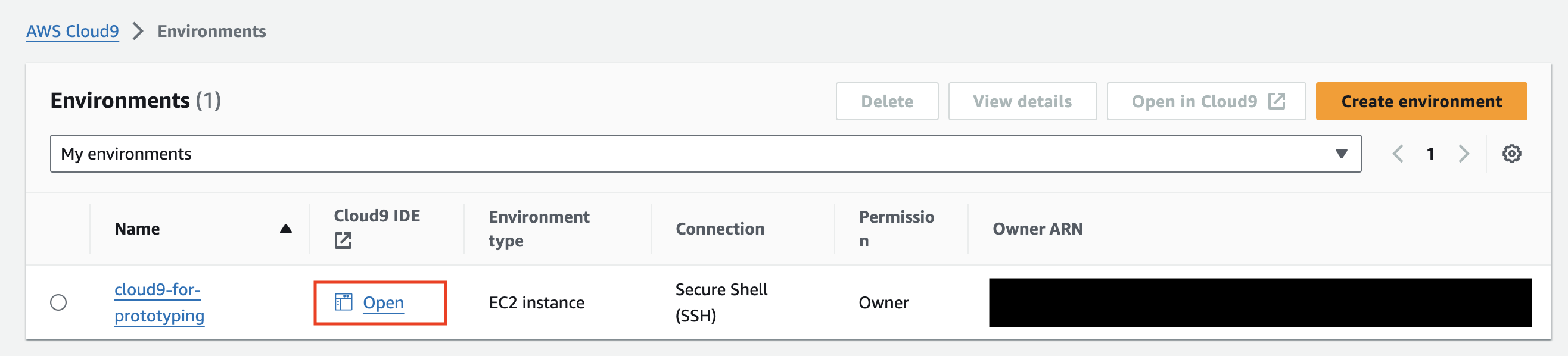
- Run the following command in the Cloud9 terminal.
git clone https://github.com/langflow-ai/langflow.git cd langflow/scripts/aws cp .env.example .env # Edit this file if you need environment settings npm ci cdk bootstrap cdk deploy - Access the URL displayed.
Outputs: LangflowAppStack.frontendURLXXXXXX = https://XXXXXXXXXXX.cloudfront.net - Enter your user name and password to sign in. If you have not set a user name and password in your
.envfile, the user name will be set toadminand the password to123456.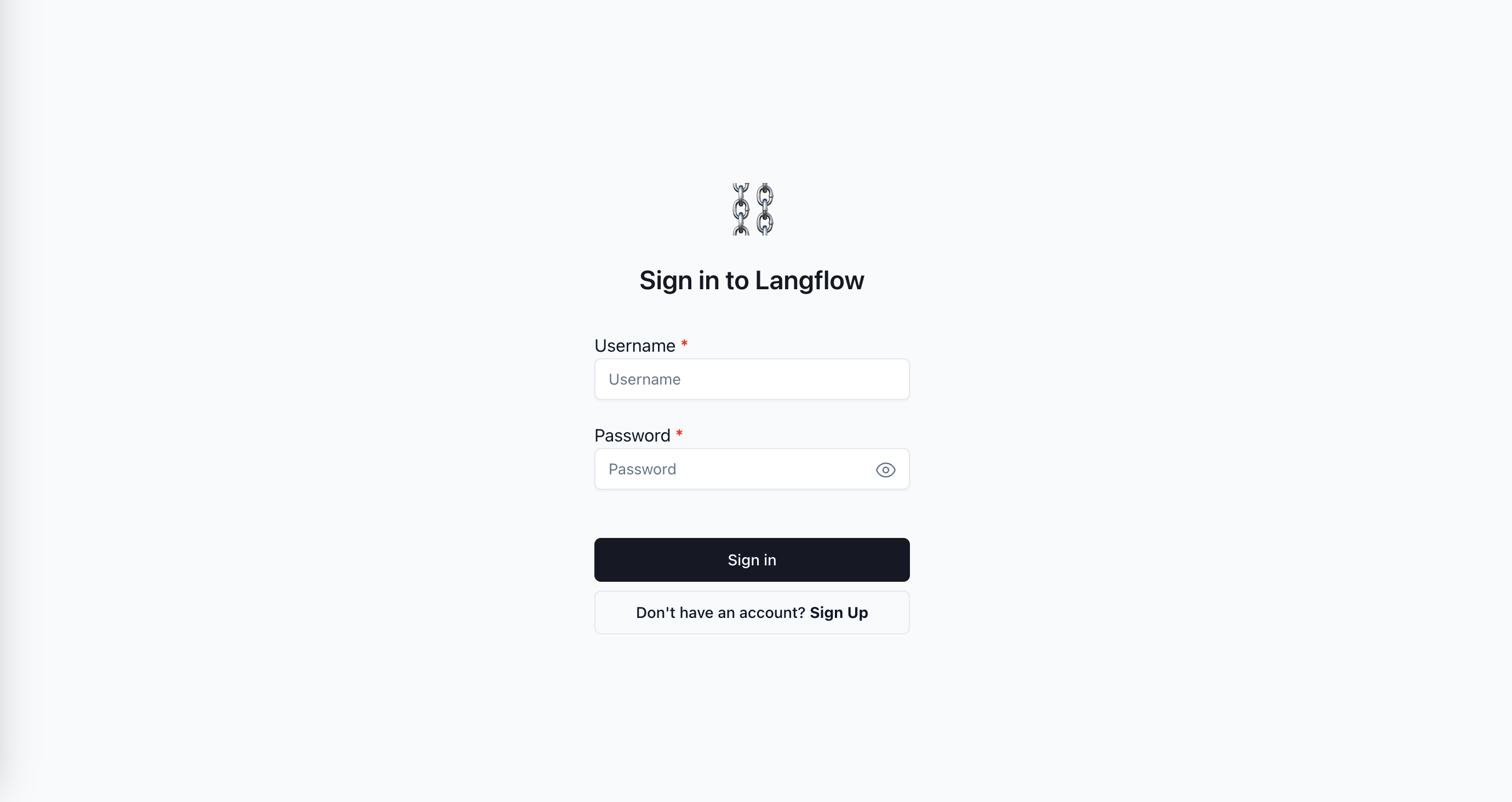
Cleanup
- Run the following command in the Cloud9 terminal.
bash delete-resources.sh - Open AWS CloudFormation, select
aws-cloud9-c9-for-langflow-XXXXand delete it. s
s