| .. | ||
| bin | ||
| img | ||
| lib | ||
| test | ||
| .env.example | ||
| .gitignore | ||
| .npmignore | ||
| cdk.json | ||
| delete-docker-images.sh | ||
| delete-resources.sh | ||
| jest.config.js | ||
| package-lock.json | ||
| package.json | ||
| README.ja.md | ||
| README.md | ||

Deploy Langflow on AWS
Duration: 30 minutes
Introduction
In this tutorial, you will learn how to deploy langflow on AWS using AWS Cloud Development Kit (CDK). This tutorial assumes you have an AWS account and basic knowledge of AWS.
The architecture of the application to be created:
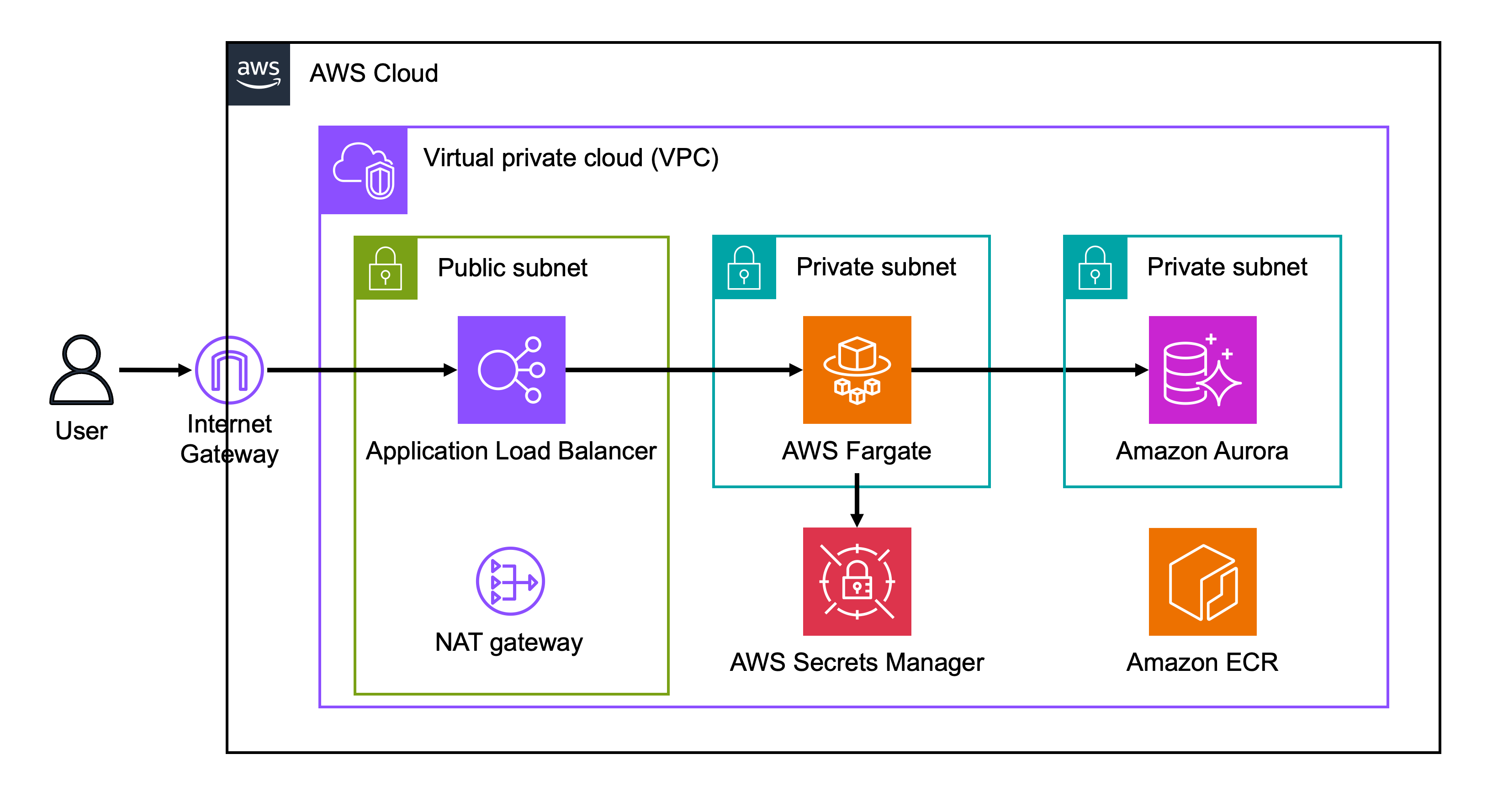
Application Load Balancer, AWS Fargate and Amazon Aurora are created by AWS CDK. The aurora's secrets are managed by AWS Secrets Manager. The Fargate task is divided into a frontend and a backend, which communicate through service discovery. If you just want to deploy resources, you do not need in-depth knowledge of each of the above services.
How to set up your environment and deploy langflow
- Open AWS CloudShell.
- Run the following commands in Cloudshell:
git clone https://github.com/aws-samples/cloud9-setup-for-prototyping cd cloud9-setup-for-prototyping ./bin/bootstrap - When you see
Done!in Cloudshell, opencloud9-for-prototypingfrom AWS Cloud9.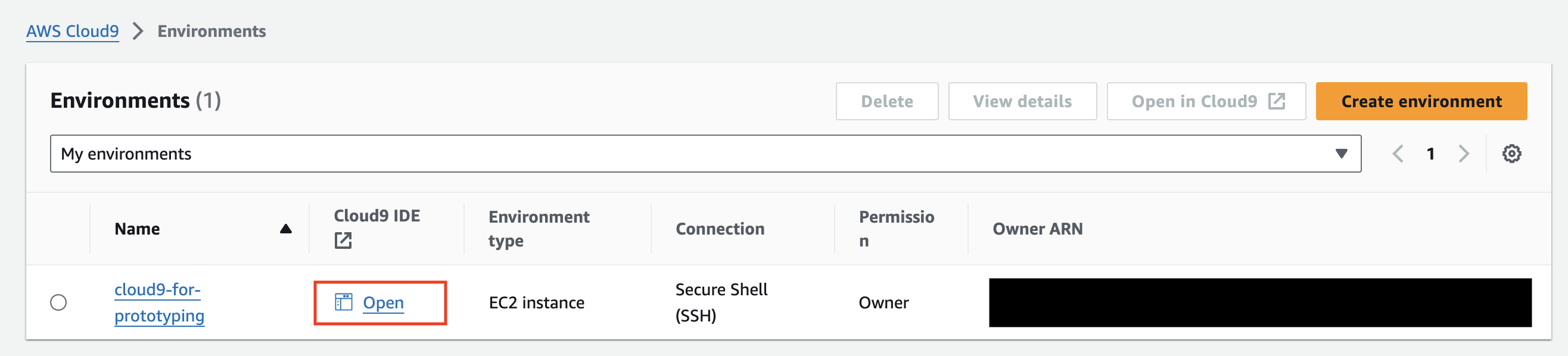
- Run the following command in the Cloud9 terminal.
git clone -b aws-cdk https://github.com/logspace-ai/langflow.git cd langflow/scripts/aws cp .env.example .env # Edit this file if you need environment settings npm ci cdk bootstrap cdk deploy - Access the URL displayed.
Outputs: LangflowAppStack.NetworkURLXXXXXX = http://alb-XXXXXXXXXXX.elb.amazonaws.com - Enter your user name and password to sign in. If you have not set a user name and password in your
.envfile, the user name will be set toadminand the password to123456.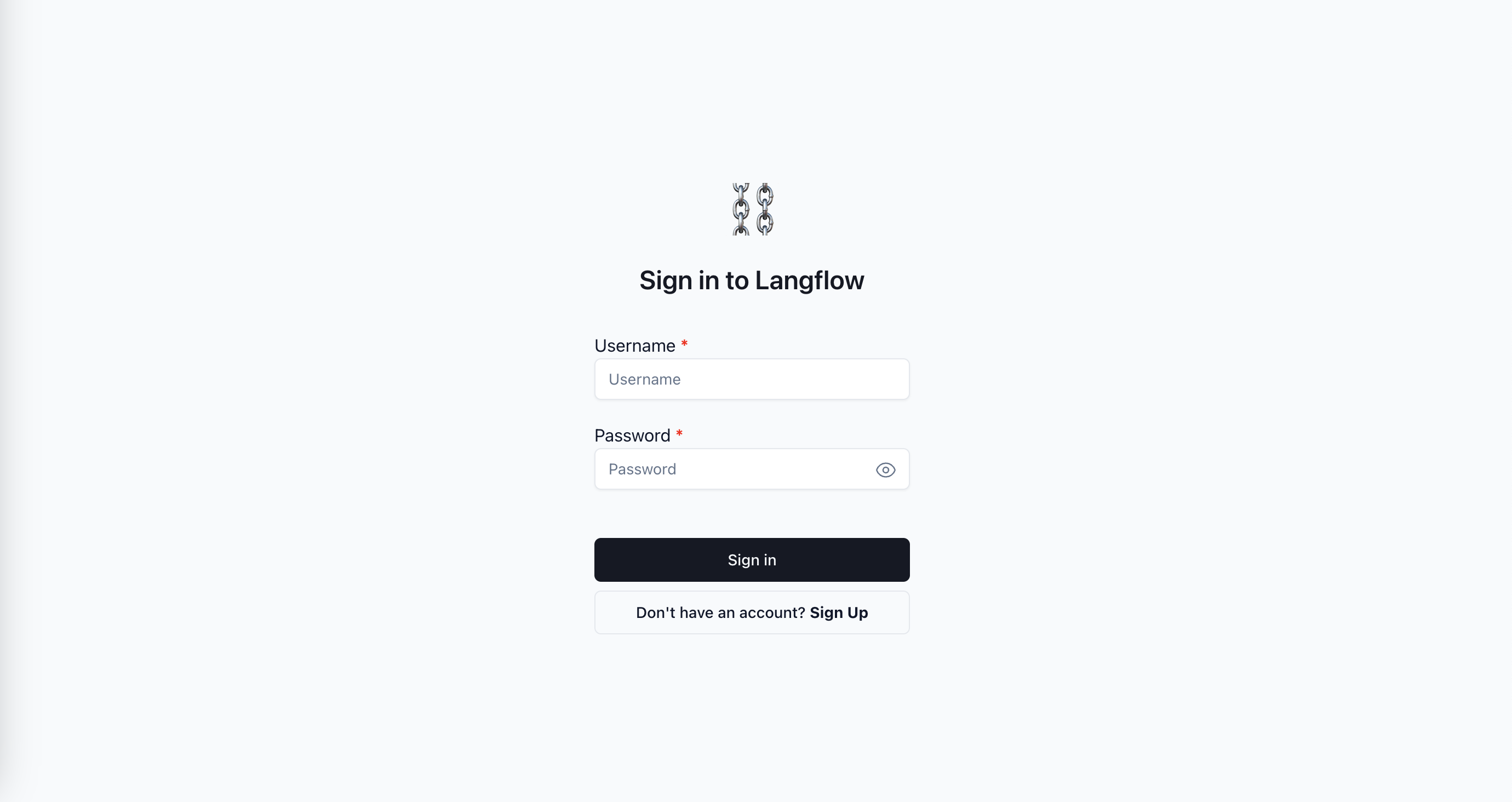
Cleanup
- Run the following command in the Cloud9 terminal.
bash delete-resources.sh - Open AWS CloudFormation, select
aws-cloud9-cloud9-for-prototyping-XXXXand delete it.