 5e2f4b8f83
* Update FastAPI app configuration in main.py * Add webhook endpoint * Add Observer model and related changes to database models * Update refresh button text in ParameterComponent * Update database models and main.py, and add webhook endpoint and utils for flow model * Add WebhookComponent to langflow data components * Update webhook component names in flow data and remove unused code in edge/base.py and graph/base.py * 🐛 (endpoints.py): fix an issue where the user_id was not being correctly assigned based on the api_key_user or flow object * 📝 (endpoints.py): Update documentation for the webhook_run_flow endpoint to provide clearer information on its purpose, arguments, and return value. Remove outdated request JSON structure and example request sections. Add information on the arguments and exceptions raised for better clarity. * chore: Remove unnecessary trailing commas in code files * feat: Add yield statement to get_lifespan function * feat: Update webhook columns revision ID * Refactor import statements for OpenAI conversational agent * refactor(constants.ts): remove unused tabsArray function and update function name to createTabsArray for clarity feat(constants.ts): add support for including webhook code in tabs array based on flow webhook property feat(index.tsx): update function calls to use new createTabsArray function and include webhook code in tabs array based on flow webhook property refactor(utils.ts): remove trailing commas in function parameters to improve code consistency and readability feat(utils.ts): add support for including webhook cURL code and tweaks code in tabs array creation for better code organization and presentation * chore: Update folder_id parameter type to str in API endpoints * feat: Handle invalid JSON payload in WebhookComponent The code changes in `Webhook.py` modify the `build` method of the `WebhookComponent` class. If an invalid JSON payload is provided, instead of raising a `ValueError`, the code now handles the exception by creating a default payload with the provided data. The commit also includes a message that describes the invalid JSON payload for better error tracking. Note: This commit message follows the convention used in the recent user commits. * refactor: Remove unnecessary code in main.py * refactor: Update Alembic revision IDs for webhook columns The Alembic revision IDs for adding webhook columns have been updated to reflect the latest changes. This ensures consistency and proper tracking of the database schema modifications. Note: The commit message has been generated based on the provided code changes and recent commits. * 🐛 (endpoints.py): Fix handling of flow_id_or_name variable to correctly identify flow ID or endpoint name for running a flow. Improve error handling for invalid UUID strings and flow not found scenarios. * refactor: Handle invalid JSON payload in WebhookComponent The code changes in `Webhook.py` modify the `build` method of the `WebhookComponent` class. If an invalid JSON payload is provided, instead of raising a `ValueError`, the code now handles the exception by creating a default payload with the provided data. * refactor: Update get_flow_by_id function to handle None flow_id parameter The get_flow_by_id function in utils.py has been updated to handle the case where the flow_id parameter is None. Previously, the function would raise an exception if flow_id was not provided. Now, if flow_id is None, the function returns None instead of querying the database. This change improves the robustness of the function and allows for more flexible usage. Note: The commit message has been generated based on the provided code changes and recent commits. * 📝 (endpoints.py): Add import statement for get_flow_by_id_or_endpoint_name function 📝 (flow.py): Add get_flow_by_id_or_endpoint_name function to retrieve a Flow object by ID or endpoint name * refactor: Update get_flow_by_id_or_endpoint_name function to handle None flow_id parameter * 🐛 (flow.py): replace ValueError with HTTPException to return a 404 status code when flow identifier is not found * refactor: Update error message for flow identifier not found The code changes in `test_endpoints.py` update the error message when a flow identifier is not found. Previously, the error message referenced the flow ID directly, but now it uses the more generic term "Flow identifier" to account for cases where the identifier could be an endpoint name. This change improves the clarity and flexibility of the error message. Note: This commit message has been generated based on the provided code changes and recent commits. * 🔧 (endpoints.py): remove unnecessary flow_id_or_name parameter from the simple_run_flow function call to improve code readability and maintainability |
||
|---|---|---|
| .devcontainer | ||
| .github | ||
| .vscode | ||
| deploy | ||
| docker | ||
| docker_example | ||
| docs | ||
| scripts | ||
| src | ||
| tests | ||
| .env.example | ||
| .eslintrc.json | ||
| .gitattributes | ||
| .gitignore | ||
| .pre-commit-config.yaml | ||
| CODE_OF_CONDUCT.md | ||
| CONTRIBUTING.md | ||
| eslint.config.js | ||
| LICENSE | ||
| Makefile | ||
| poetry.lock | ||
| pyproject.toml | ||
| README.md | ||
| render.yaml | ||
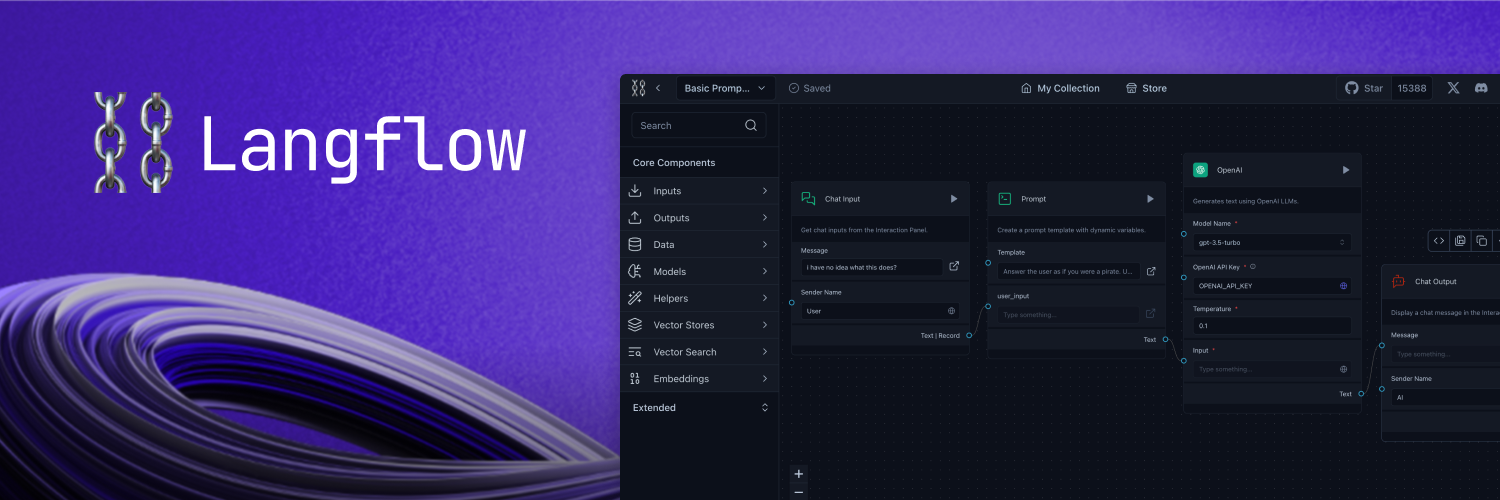
A visual framework for building multi-agent and RAG applications
Open-source, Python-powered, fully customizable, LLM and vector store agnostic
Docs - Join our Discord - Follow us on X - Live demo



📝 Content
📦 Get Started
You can install Langflow with pip:
# Make sure you have >=Python 3.10 installed on your system.
# Install the pre-release version (recommended for the latest updates)
python -m pip install langflow --pre --force-reinstall

# or stable version
python -m pip install langflow -U
Then, run Langflow with:
python -m langflow run
You can also preview Langflow in HuggingFace Spaces. Clone the space using this link to create your own Langflow workspace in minutes.
🎨 Create Flows
Creating flows with Langflow is easy. Simply drag components from the sidebar onto the canvas and connect them to start building your application.
Explore by editing prompt parameters, grouping components into a single high-level component, and building your own Custom Components.
Once you’re done, you can export your flow as a JSON file.
Load the flow with:
from langflow.load import run_flow_from_json

results = run_flow_from_json("path/to/flow.json", input_value="Hello, World!")
Deploy
Deploy Langflow on Google Cloud Platform
Follow our step-by-step guide to deploy Langflow on Google Cloud Platform (GCP) using Google Cloud Shell. The guide is available in the Langflow in Google Cloud Platform document.
Alternatively, click the "Open in Cloud Shell" button below to launch Google Cloud Shell, clone the Langflow repository, and start an interactive tutorial that will guide you through the process of setting up the necessary resources and deploying Langflow on your GCP project.

Deploy on Railway
Use this template to deploy Langflow 1.0 Preview on Railway:

Or this one to deploy Langflow 0.6.x:
Deploy on Render

🖥️ Command Line Interface (CLI)
Langflow provides a command-line interface (CLI) for easy management and configuration.
Usage
You can run the Langflow using the following command:
langflow run [OPTIONS]
Each option is detailed below:
--help: Displays all available options.--host: Defines the host to bind the server to. Can be set using theLANGFLOW_HOSTenvironment variable. The default is127.0.0.1.--workers: Sets the number of worker processes. Can be set using theLANGFLOW_WORKERSenvironment variable. The default is1.--timeout: Sets the worker timeout in seconds. The default is60.--port: Sets the port to listen on. Can be set using theLANGFLOW_PORTenvironment variable. The default is7860.--env-file: Specifies the path to the .env file containing environment variables. The default is.env.--log-level: Defines the logging level. Can be set using theLANGFLOW_LOG_LEVELenvironment variable. The default iscritical.--components-path: Specifies the path to the directory containing custom components. Can be set using theLANGFLOW_COMPONENTS_PATHenvironment variable. The default islangflow/components.--log-file: Specifies the path to the log file. Can be set using theLANGFLOW_LOG_FILEenvironment variable. The default islogs/langflow.log.--cache: Selects the type of cache to use. Options areInMemoryCacheandSQLiteCache. Can be set using theLANGFLOW_LANGCHAIN_CACHEenvironment variable. The default isSQLiteCache.--dev/--no-dev: Toggles the development mode. The default isno-dev.--path: Specifies the path to the frontend directory containing build files. This option is for development purposes only. Can be set using theLANGFLOW_FRONTEND_PATHenvironment variable.--open-browser/--no-open-browser: Toggles the option to open the browser after starting the server. Can be set using theLANGFLOW_OPEN_BROWSERenvironment variable. The default isopen-browser.--remove-api-keys/--no-remove-api-keys: Toggles the option to remove API keys from the projects saved in the database. Can be set using theLANGFLOW_REMOVE_API_KEYSenvironment variable. The default isno-remove-api-keys.--install-completion [bash|zsh|fish|powershell|pwsh]: Installs completion for the specified shell.--show-completion [bash|zsh|fish|powershell|pwsh]: Shows completion for the specified shell, allowing you to copy it or customize the installation.--backend-only: This parameter, with a default value ofFalse, allows running only the backend server without the frontend. It can also be set using theLANGFLOW_BACKEND_ONLYenvironment variable.--store: This parameter, with a default value ofTrue, enables the store features, use--no-storeto deactivate it. It can be configured using theLANGFLOW_STOREenvironment variable.
These parameters are important for users who need to customize the behavior of Langflow, especially in development or specialized deployment scenarios.
Environment Variables
You can configure many of the CLI options using environment variables. These can be exported in your operating system or added to a .env file and loaded using the --env-file option.
A sample .env file named .env.example is included with the project. Copy this file to a new file named .env and replace the example values with your actual settings. If you're setting values in both your OS and the .env file, the .env settings will take precedence.
👋 Contribute
We welcome contributions from developers of all levels to our open-source project on GitHub. If you'd like to contribute, please check our contributing guidelines and help make Langflow more accessible.
🌟 Contributors
📄 License
Langflow is released under the MIT License. See the LICENSE file for details.