 a9863a050e
* changed column defs to receive handleOnNewValue and use it to change Advanced variable * Exported function isTargetHandleConnected * Refactored types of setNodeClass * Exported type of handleOnNewValue * Refactored useHandleNodeClass to only handle changes to node data * Refactored toggleCellRender to handle advanced values by itself with the handleOnNewValue * changed setNodeClass types and disabled hook * changed handleNodeClass on parametercomponent * changed handleNodeClass on the two components that used it * refactor: Update handleNodeClass to accept newNodeClass and type only * Refactor EditNodeModal component to use new handleNodeClass and columnDefs * Changed columnDefs to receive new handleNodeClass and not receive useless parameters * changed cellTypeStr to strRender * Refactored inputFileComponent to use the new handleOnNewValue * Refactored keypairList to convert values on the fly * added parameterRenderComponent that renders all parameters in one place * Exported parameterRenderComponent * Changed tableNodeCellRender to use ParameterRenderComponent * changed parameterredercomponent to receive name * changed strrendercomponent to receive name * changed nodecellrender to pass name and to check if value is undefined before assigning on templateData * chore: Refactor use-handle-new-value to handle undefined values in changes * Used ParameterRenderComponent at parameterComponent * Refactored parameterRenderComponent to include refresh button * Created refresh parameter component * Added nodeId to parameterrendercomponent call * Removed unused variable * Refactored refreshButton * Fixed parameters not showing when they dont have a value * Created a tweakComplnent that renders the tweak individually, with the same table as the EditNode * Created tweaks component, that renders all tweaks * Changed tableNodeCellRender to pass setNode as well * changed handleOnNewValue to use custom setNode if specified * added editNodeComponent that handles the table and rowData and columnDefs * changed editNodeModal to use editNodeComponent instead of table * changed columndefs type to handle setNode and hideVisibility optional parameters * changed useRowData to not use myData, and just use nodeClass * Changed codeTabsPropsType tweaks property to include only the ncessary * changed codeTabsComponent to use TweaksComponent and handle an internal nodes state * changed apiModal to handle the tweaks build by finding the differences between old and current node * fix bug on API modal that refresh tweaks table all the time * Created new tweaks store type * Added tweaks store with all of the logic needed to get the tweaks on the API page * refactored TweakComponent to hold an temporary state to prevent the table from rerendering * Added TweakComponent into TweaksComponent * Removed external state on tableAdvancedToggle, making every state come from the Stores * Removed external state from TableNodeCellRender and added isTweaks to choose which store to use * Added SetNode type on HandleOnNewValue * Added custom setNode to handleNodeClass * Removed unused logic from apiModal * removed unused old code * Changed type of getChangesTypes * Transformed string into object on get codes * Changed getNodesWithDefaultValue to return nodes that will appear on Tweaks, as well as just the allowed parameters * added hasTweaks to tabs * added check of template keys to update the local nodeClass state, allowing the table to be updated just when the number of parameters changes * passed isTweaks to columnDefs * removed unused state and passed isTweaks to value getters * Removed unused state * updated tabsArrayType with hasTweaks and removed unused types * Added local nodes tweaks state to the codetabscomponent and refactored conditions of display * removed unused console.log * changed advanced toggle to use parameterid given by the value * changed nodecellrender to use parameter id given by the value * passed parameter id by value to the renderers * removed nodeClass from columnDefs definition * Fixed isTargetHandleConnected returning error if field is undefined * Fix performance issues on edit node modal * Fixed scroll overflow issues on tweaksComponent * Revert "Revert "refactor: update template api, handleonnewvalue and handlenodeclass hooks (#2628)"" This reverts commit 236ae82cabba2fa1128f498d781099facd222b57. * 📝 (tweaksTest.spec.ts): remove redundant code and improve readability by simplifying the interaction with elements in the test case * added custom id for tests * ✨ (frontend): Add unique id prop to input components for better testability and accessibility. ✨ (Hierarchical Tasks Agent.spec.ts): Update dropdown element IDs to improve clarity and consistency ✨ (Memory Chatbot.spec.ts): Update dropdown element IDs to improve clarity and consistency ✨ (Sequential Tasks Agent.spec.ts): Update dropdown element IDs to improve clarity and consistency ✨ (chatInputOutputUser-shard-0.spec.ts): Update dropdown element IDs to improve clarity and consistency ✨ (chatInputOutputUser-shard-1.spec.ts): Update dropdown element IDs to improve clarity and consistency ✨ (chatInputOutputUser-shard-2.spec.ts): Update dropdown element IDs to improve clarity and consistency ✨ (decisionFlow.spec.ts): Update input list element IDs to improve clarity and consistency ✨ (decisionFlow.spec.ts): Update prompt area element IDs to improve clarity and consistency ✨ (decisionFlow.spec.ts): Update dropdown element IDs to improve clarity and consistency ✨ (freeze-path.spec.ts): Update dropdown element IDs to improve clarity and consistency ✨ (generalBugs-shard-0.spec.ts): Update dropdown element IDs to improve clarity and consistency ✨ (generalBugs-shard-1.spec.ts): Update dropdown element IDs to improve clarity and consistency ✨ (generalBugs-shard-3.spec.ts): Update dropdown element IDs to improve clarity and consistency 🔧 (logs.spec.ts, textInputOutput.spec.ts): update dropdown test selectors to match changes in the frontend codebase * Fixed prompt not holding the value when validating * Fixed range spec on int component * Fixed OpenAI Model max tokens range spec * ✨ (dropdownComponent.spec.ts): Update dropdown test cases to use more descriptive test IDs for better clarity and maintainability 📝 (fileUploadComponent.spec.ts): Add explicit wait for "Run Flow" button to ensure it is loaded before clicking 📝 (folders.spec.ts): Update file path in readFileSync function to use an absolute path for better reliability 📝 (freeze-path.spec.ts): Refactor test code to remove commented out code and improve readability by using more descriptive test IDs and removing unnecessary code snippets ✨ (inputListComponent.spec.ts): Update test file to use consistent naming convention for input elements in the InputListComponent 📝 (intComponent.spec.ts): Refactor test file to use consistent naming convention for input elements in the IntComponent ✨ (nestedComponent.spec.ts): Update test steps and interactions for nestedComponent to improve test coverage and accuracy. 📝 (promptModalComponent.spec.ts): Update test selectors for prompt modal component to improve consistency and readability 📝 (textAreaModalComponent.spec.ts): Update test selectors for text area modal component to improve consistency and readability 📝 (toggleComponent.spec.ts): Update test selectors for toggle component to improve consistency and readability * 🐛 (intComponent.spec.ts): fix incorrect value comparison in test for IntComponent 🐛 (intComponent.spec.ts): fix missing test step for clicking on a specific element in IntComponent test * 📝 (Vector Store.spec.ts): increase timeout for waiting for "built successfully" text to improve test reliability and prevent false negatives * Fixed folders test --------- Co-authored-by: anovazzi1 <otavio2204@gmail.com> Co-authored-by: Gabriel Luiz Freitas Almeida <gabriel@langflow.org> Co-authored-by: cristhianzl <cristhian.lousa@gmail.com> |
||
|---|---|---|
| .devcontainer | ||
| .github | ||
| .vscode | ||
| deploy | ||
| docker | ||
| docker_example | ||
| docs | ||
| scripts | ||
| src | ||
| .env.example | ||
| .eslintrc.json | ||
| .gitattributes | ||
| .gitignore | ||
| .pre-commit-config.yaml | ||
| CODE_OF_CONDUCT.md | ||
| CONTRIBUTING.md | ||
| eslint.config.js | ||
| LICENSE | ||
| Makefile | ||
| poetry.lock | ||
| pyproject.toml | ||
| README.ja.md | ||
| README.KR.md | ||
| README.md | ||
| README.PT.md | ||
| README.zh_CN.md | ||
| render.yaml | ||
Langflow 1.0 is OUT! 🎉
Read all about it here!
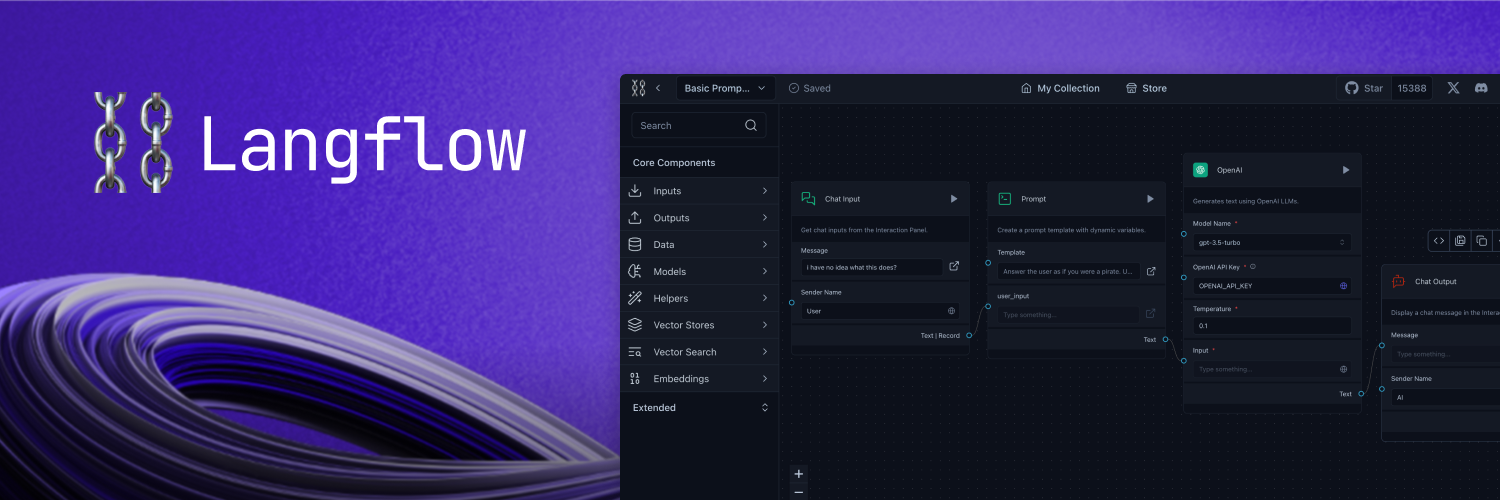
A visual framework for building multi-agent and RAG applications
Open-source, Python-powered, fully customizable, LLM and vector store agnostic
Docs - Join our Discord - Follow us on X - Live demo




📝 Content
- 📝 Content
- 📦 Get Started
- 🎨 Create Flows
- Deploy
- 🖥️ Command Line Interface (CLI)
- 👋 Contribute
- 🌟 Contributors
- 📄 License
📦 Get Started
You can install Langflow with pip:
# Make sure you have >=Python 3.10 installed on your system.
python -m pip install langflow -U
Or
If you would like to install from your cloned repo, you can build and install Langflow's frontend and backend with:
make install_frontend && make build_frontend && make install_backend
Then, run Langflow with:
python -m langflow run
🎨 Create Flows
Creating flows with Langflow is easy. Simply drag components from the sidebar onto the workspace and connect them to start building your application.
Explore by editing prompt parameters, grouping components into a single high-level component, and building your own Custom Components.
Once you’re done, you can export your flow as a JSON file.
Load the flow with:
from langflow.load import run_flow_from_json

results = run_flow_from_json("path/to/flow.json", input_value="Hello, World!")
Deploy
DataStax Langflow
DataStax Langflow is a hosted version of Langflow integrated with AstraDB. Be up and running in minutes with no installation or setup required. Sign up for free.
Deploy Langflow on Hugging Face Spaces
You can also preview Langflow in HuggingFace Spaces. Clone the space using this link to create your own Langflow workspace in minutes.
Deploy Langflow on Google Cloud Platform
Follow our step-by-step guide to deploy Langflow on Google Cloud Platform (GCP) using Google Cloud Shell. The guide is available in the Langflow in Google Cloud Platform document.
Alternatively, click the "Open in Cloud Shell" button below to launch Google Cloud Shell, clone the Langflow repository, and start an interactive tutorial that will guide you through the process of setting up the necessary resources and deploying Langflow on your GCP project.

Deploy on Railway
Use this template to deploy Langflow 1.0 on Railway:

Deploy on Render

Deploy on Kubernetes
Follow our step-by-step guide to deploy Langflow on Kubernetes.
🖥️ Command Line Interface (CLI)
Langflow provides a command-line interface (CLI) for easy management and configuration.
Usage
You can run the Langflow using the following command:
langflow run [OPTIONS]
Each option is detailed below:
--help: Displays all available options.--host: Defines the host to bind the server to. Can be set using theLANGFLOW_HOSTenvironment variable. The default is127.0.0.1.--workers: Sets the number of worker processes. Can be set using theLANGFLOW_WORKERSenvironment variable. The default is1.--timeout: Sets the worker timeout in seconds. The default is60.--port: Sets the port to listen on. Can be set using theLANGFLOW_PORTenvironment variable. The default is7860.--env-file: Specifies the path to the .env file containing environment variables. The default is.env.--log-level: Defines the logging level. Can be set using theLANGFLOW_LOG_LEVELenvironment variable. The default iscritical.--components-path: Specifies the path to the directory containing custom components. Can be set using theLANGFLOW_COMPONENTS_PATHenvironment variable. The default islangflow/components.--log-file: Specifies the path to the log file. Can be set using theLANGFLOW_LOG_FILEenvironment variable. The default islogs/langflow.log.--cache: Selects the type of cache to use. Options areInMemoryCacheandSQLiteCache. Can be set using theLANGFLOW_LANGCHAIN_CACHEenvironment variable. The default isSQLiteCache.--dev/--no-dev: Toggles the development mode. The default isno-dev.--path: Specifies the path to the frontend directory containing build files. This option is for development purposes only. Can be set using theLANGFLOW_FRONTEND_PATHenvironment variable.--open-browser/--no-open-browser: Toggles the option to open the browser after starting the server. Can be set using theLANGFLOW_OPEN_BROWSERenvironment variable. The default isopen-browser.--remove-api-keys/--no-remove-api-keys: Toggles the option to remove API keys from the projects saved in the database. Can be set using theLANGFLOW_REMOVE_API_KEYSenvironment variable. The default isno-remove-api-keys.--install-completion [bash|zsh|fish|powershell|pwsh]: Installs completion for the specified shell.--show-completion [bash|zsh|fish|powershell|pwsh]: Shows completion for the specified shell, allowing you to copy it or customize the installation.--backend-only: This parameter, with a default value ofFalse, allows running only the backend server without the frontend. It can also be set using theLANGFLOW_BACKEND_ONLYenvironment variable.--store: This parameter, with a default value ofTrue, enables the store features, use--no-storeto deactivate it. It can be configured using theLANGFLOW_STOREenvironment variable.
These parameters are important for users who need to customize the behavior of Langflow, especially in development or specialized deployment scenarios.
Environment Variables
You can configure many of the CLI options using environment variables. These can be exported in your operating system or added to a .env file and loaded using the --env-file option.
A sample .env file named .env.example is included with the project. Copy this file to a new file named .env and replace the example values with your actual settings. If you're setting values in both your OS and the .env file, the .env settings will take precedence.
👋 Contribute
We welcome contributions from developers of all levels to our open-source project on GitHub. If you'd like to contribute, please check our contributing guidelines and help make Langflow more accessible.
🌟 Contributors
📄 License
Langflow is released under the MIT License. See the LICENSE file for details.