 d7fd36fade
## Pull Request Description This pull request includes a comprehensive set of changes aimed at improving the user interface, fixing bugs, and refactoring the code for better maintainability and performance. The modifications encompass a wide range of components and functionalities within the application. ## Changes Made ### Node Interaction - Changed click to double-click when editing node information. - Added node play on hover of entire node again. ### Modal Improvements - Removed function that prevents `esc` on `codeAreaModal`. - Changed `Name` to `Field Name` on `editNodeModal`. - Refactored `BaseModal` and fixed overflow issues in various modals. - Fixed buttons not submitting on `baseModal`. - Fixed submit action on `baseModal` and state issue on Edit Node Modal. - Fixed modal size and removed default size definition. - Added input component to DOM with an event listener. ### UI Enhancements - Fixed border being cut on Node Settings dropdown component. - Fixed scrollbar colors and dropdown color when not global. - Changed loading color and images to lighter ones, added animation to grid. - Fixed header profile image being shrunk and header alignment. - Fixed padding and margin issues on buttons. - Added gap to button and grabbing cursor when grabbing node. - Added Status button and adjusted positioning of Node Header elements. - Removed hover background from outline badge. ### Bug Fixes - Fixed unused `console.log` statements and reset grid `console.log`. - Fixed bug on `dictAreaModal` where state is kept without saving. - Fixed dictionary component not being full width. - Fixed scrollIntoView not always working. - Fixed update shortcut not working. - Fixed accordion not being disabled with no data on output. - Fixed Memories badge overflow. - Disabled output if it’s not valid. - Removed pagination when it’s on the left side and fixed bug on opening pagination. - Fixed global variables not setting on EditNodeModal. - Fixed Add New Variable button not working at the dropdown. ### Refactoring - Updated `ChromaComponent` to show status. - Refactored advanced options in `ChatComponent`, `URLComponent`, and other components. - Improved handling of `message.text` in `chat.py` to prevent errors. ### New Features - Added image preloading hook and suspense image component. - Added `EmbedComponent` and `PromptComponent` to langflow components. - Added `Message` and `StoreMessage` components. ### Code Cleanup - Removed unused classes and scale on hover. - Added type definitions to global variables. - Increased route history slice size for better navigation. ### Merge Details - Merged multiple branches including `origin/cz/mergeAll` into `fix/minor_ui_adjustments`. ### Contributors - @lucaseduoli - @rodrigosnader - @Cristhianzl --- These changes are crucial for improving the overall functionality and user experience of the application. Please review and merge the pull request. Thank you! |
||
|---|---|---|
| .devcontainer | ||
| .github | ||
| .vscode | ||
| deploy | ||
| docker | ||
| docker_example | ||
| docs | ||
| scripts | ||
| src | ||
| test-results | ||
| tests | ||
| .env.example | ||
| .eslintrc.json | ||
| .gitattributes | ||
| .gitignore | ||
| .pre-commit-config.yaml | ||
| CODE_OF_CONDUCT.md | ||
| CONTRIBUTING.md | ||
| eslint.config.js | ||
| LICENSE | ||
| Makefile | ||
| poetry.lock | ||
| pyproject.toml | ||
| README.md | ||
| README.PT.md | ||
| README.zh_CN.md | ||
| render.yaml | ||
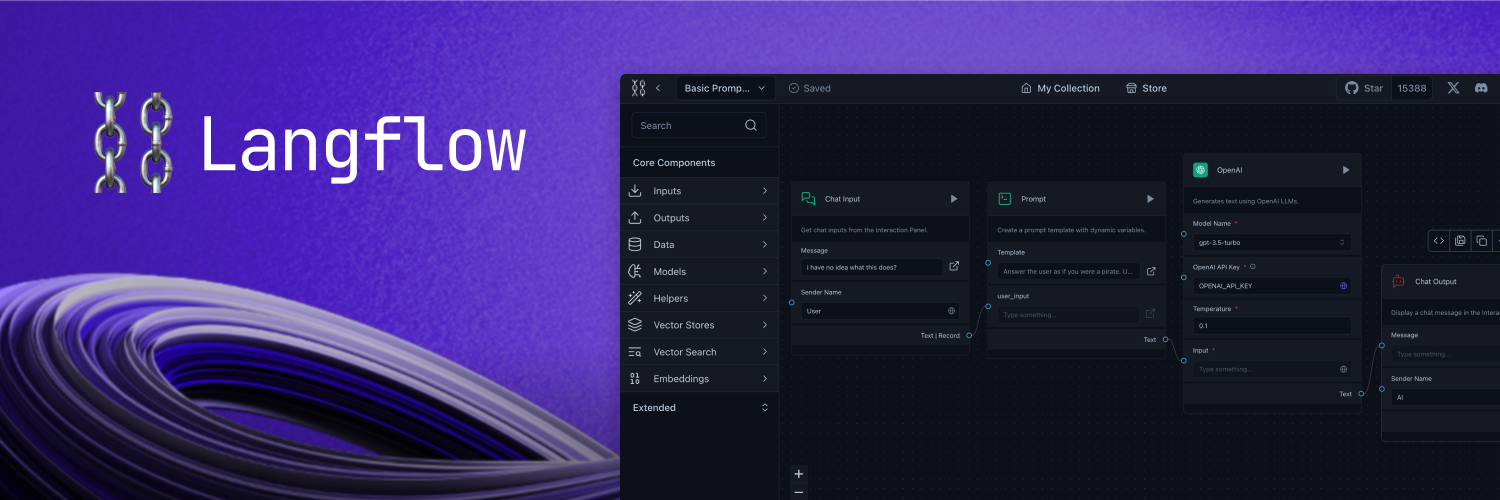
A visual framework for building multi-agent and RAG applications
Open-source, Python-powered, fully customizable, LLM and vector store agnostic
Docs - Join our Discord - Follow us on X - Live demo




📝 Content
- 📝 Content
- 📦 Get Started
- 🎨 Create Flows
- Deploy
- 🖥️ Command Line Interface (CLI)
- 👋 Contribute
- 🌟 Contributors
- 📄 License
📦 Get Started
You can install Langflow with pip:
# Make sure you have >=Python 3.10 installed on your system.
# Install the pre-release version (recommended for the latest updates)
python -m pip install langflow --pre --force-reinstall

# or stable version
python -m pip install langflow -U
Then, run Langflow with:
python -m langflow run
You can also preview Langflow in HuggingFace Spaces. Clone the space using this link to create your own Langflow workspace in minutes.
🎨 Create Flows
Creating flows with Langflow is easy. Simply drag components from the sidebar onto the canvas and connect them to start building your application.
Explore by editing prompt parameters, grouping components into a single high-level component, and building your own Custom Components.
Once you’re done, you can export your flow as a JSON file.
Load the flow with:
from langflow.load import run_flow_from_json

results = run_flow_from_json("path/to/flow.json", input_value="Hello, World!")
Deploy
Deploy Langflow on Google Cloud Platform
Follow our step-by-step guide to deploy Langflow on Google Cloud Platform (GCP) using Google Cloud Shell. The guide is available in the Langflow in Google Cloud Platform document.
Alternatively, click the "Open in Cloud Shell" button below to launch Google Cloud Shell, clone the Langflow repository, and start an interactive tutorial that will guide you through the process of setting up the necessary resources and deploying Langflow on your GCP project.

Deploy on Railway
Use this template to deploy Langflow 1.0 Preview on Railway:

Or this one to deploy Langflow 0.6.x:
Deploy on Render

🖥️ Command Line Interface (CLI)
Langflow provides a command-line interface (CLI) for easy management and configuration.
Usage
You can run the Langflow using the following command:
langflow run [OPTIONS]
Each option is detailed below:
--help: Displays all available options.--host: Defines the host to bind the server to. Can be set using theLANGFLOW_HOSTenvironment variable. The default is127.0.0.1.--workers: Sets the number of worker processes. Can be set using theLANGFLOW_WORKERSenvironment variable. The default is1.--timeout: Sets the worker timeout in seconds. The default is60.--port: Sets the port to listen on. Can be set using theLANGFLOW_PORTenvironment variable. The default is7860.--env-file: Specifies the path to the .env file containing environment variables. The default is.env.--log-level: Defines the logging level. Can be set using theLANGFLOW_LOG_LEVELenvironment variable. The default iscritical.--components-path: Specifies the path to the directory containing custom components. Can be set using theLANGFLOW_COMPONENTS_PATHenvironment variable. The default islangflow/components.--log-file: Specifies the path to the log file. Can be set using theLANGFLOW_LOG_FILEenvironment variable. The default islogs/langflow.log.--cache: Selects the type of cache to use. Options areInMemoryCacheandSQLiteCache. Can be set using theLANGFLOW_LANGCHAIN_CACHEenvironment variable. The default isSQLiteCache.--dev/--no-dev: Toggles the development mode. The default isno-dev.--path: Specifies the path to the frontend directory containing build files. This option is for development purposes only. Can be set using theLANGFLOW_FRONTEND_PATHenvironment variable.--open-browser/--no-open-browser: Toggles the option to open the browser after starting the server. Can be set using theLANGFLOW_OPEN_BROWSERenvironment variable. The default isopen-browser.--remove-api-keys/--no-remove-api-keys: Toggles the option to remove API keys from the projects saved in the database. Can be set using theLANGFLOW_REMOVE_API_KEYSenvironment variable. The default isno-remove-api-keys.--install-completion [bash|zsh|fish|powershell|pwsh]: Installs completion for the specified shell.--show-completion [bash|zsh|fish|powershell|pwsh]: Shows completion for the specified shell, allowing you to copy it or customize the installation.--backend-only: This parameter, with a default value ofFalse, allows running only the backend server without the frontend. It can also be set using theLANGFLOW_BACKEND_ONLYenvironment variable.--store: This parameter, with a default value ofTrue, enables the store features, use--no-storeto deactivate it. It can be configured using theLANGFLOW_STOREenvironment variable.
These parameters are important for users who need to customize the behavior of Langflow, especially in development or specialized deployment scenarios.
Environment Variables
You can configure many of the CLI options using environment variables. These can be exported in your operating system or added to a .env file and loaded using the --env-file option.
A sample .env file named .env.example is included with the project. Copy this file to a new file named .env and replace the example values with your actual settings. If you're setting values in both your OS and the .env file, the .env settings will take precedence.
👋 Contribute
We welcome contributions from developers of all levels to our open-source project on GitHub. If you'd like to contribute, please check our contributing guidelines and help make Langflow more accessible.
🌟 Contributors
📄 License
Langflow is released under the MIT License. See the LICENSE file for details.