| .. | ||
| img | ||
| mimic3_http | ||
| .gitignore | ||
| .isort.cfg | ||
| .projectile | ||
| check.sh | ||
| client.sh | ||
| LICENSE | ||
| MANIFEST.in | ||
| mypy.ini | ||
| py.typed | ||
| pylintrc | ||
| README.md | ||
| requirements.txt | ||
| run.sh | ||
| setup.cfg | ||
| setup.py | ||

Mimic 3 Web Server
A small HTTP web server for the Mimic 3 text to speech system.
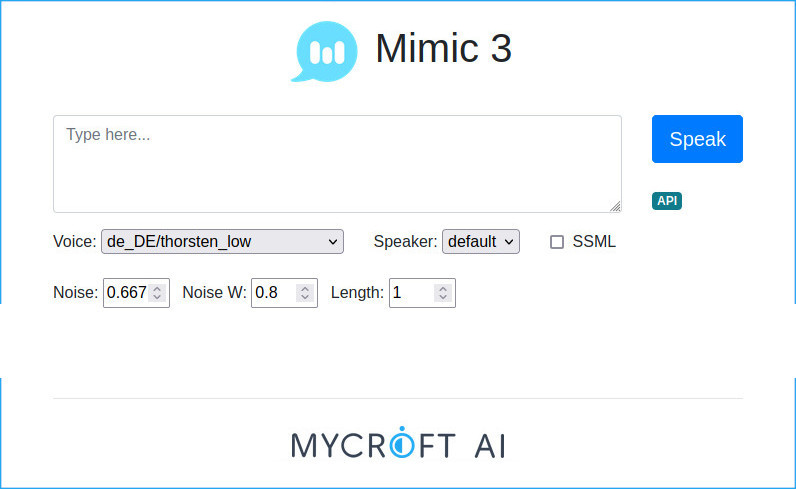
Running the Server
mimic3-server
This will start a web server at http://localhost:59125
See mimic3-server --debug for more options.
Endpoints
/api/ttsPOSTtext or SSML and receive WAV audio back- Use
?voice=to select a different voice/speaker - Set
Content-Typetoapplication/ssml+xml(or use?ssml=1) for SSML input
/api/voices- Returns a JSON list of available voices
An OpenAPI test page is also available at http://localhost:59125/openapi
CUDA Acceleration
If you have a GPU with support for CUDA, you can accelerate synthesis with the --cuda flag. This requires you to install the onnxruntime-gpu Python package.
Using nvidia-docker is highly recommended. See the Dockerfile.gpu file in the parent repository for an example of how to build a compatible container.
Running the Client
Assuming you have started mimic3-server and can access http://localhost:59125, then:
mimic3 --remote --voice 'en_UK/apope_low' 'My hovercraft is full of eels.' > hovercraft_eels.wav
If your server is somewhere besides localhost, use mimic3 --remote <URL> ...
See mimic3 --help for more options.
MaryTTS Compatibility
Use the Mimic 3 web server as a drop-in replacement for MaryTTS, for example with Home Assistant.
Make sure to use a compatible voice key like en_UK/apope_low.